
If you want to log in from mobile, first think about three things separately: are you opening a browser-based mobile site, wanting to install an app, or being directed to download an APK? The rule for quick decisions is—if you only need to log in, first check the page type and domain, if an app comes up check the permissions, and if it’s an APK, do not proceed without verifying the source.
Bangladesh Another common issue in such searches is word confusion. “mobile site”, “app”, “APK”, “login”—these are not the same thing. So, without understanding which path you are entering, providing username, password, OTP, or other personal information can be the biggest mistake.
Need to log in on mobile? First determine whether it’s a mobile site, app, or APK.
Different types of results can come from searches with the same brand name. So, it’s important to understand what kind of access screen you are actually seeing.
- Mobile site: Opens in the browser, does not require separate installation
- App: Asks to install, usually takes you to the store or install page
- APK: Wants to download a separate file, which may install outside the store
This is where the most confusion arises. Many times, while searching for “mobile login,” users end up on a page that shows an app or APK prompt instead of a login. If your intention is just to sign in, first check whether you have gone to a login form or have entered a download funnel.
What signals will you see first on the mobile site login page
If you want to log in via browser, the structure is more important than the appearance of the page. Especially check the domain, redirect, and form behavior first.
| What to look for | Why it's important |
|---|---|
| Spelling of the domain | Extra characters, numbers, dashes, or strange subdomains can be signals of a fake page |
| HTTPS | Shows minimal encryption, but just having this does not mean the page is real |
| is it redirecting or not | Be cautious if clicking once opens another page repeatedly |
| Is the login form normal? | Unusual input fields, broken design, spelling mistakes are suspicious |
| What does it ask for before login? | If it asks for irrelevant data beyond username/password, stop |
The best practice for mobile site login is: provide information only after understanding the page type, not from ads, pop-ups, or shortcut links. If you have to go through multiple landing pages before opening the login form, that could be a red flag.

What will you see before logging in if accessing via app?
Many users assume that the app is the easiest way to access on mobile. But it's not right to proceed just because you see an install prompt. Because going to the install path instead of the login screen can increase data risk.
Before going to the app route, ask these questions first:
- Did the install prompt come suddenly, or were you looking for the app yourself?
- Is it asking for extra sign-up or personal data before opening the app?
- Is it asking for more permissions than necessary for login?
- Is the screen repeatedly bouncing from the browser to the install page?
It's not right to assume that the app is mandatory just for logging in—if you encounter repeated permission prompts, download prompts, or unclear install steps when going to the app route, then stopping beforehand may be a safer decision.
Why to be more cautious when it comes to APKs
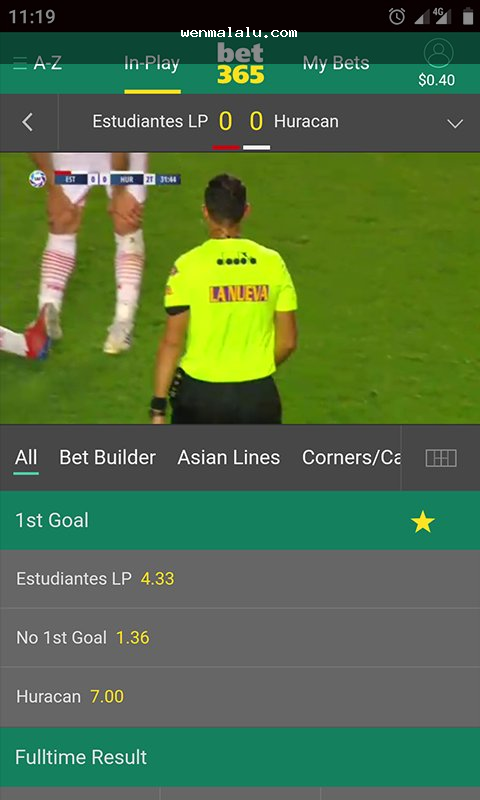
Bet365 mobile site bangladesh login While searching, users are often pushed towards APK downloads. This is where the biggest risk lies, as the source, integrity, and behavior after installation of the APK file may not be clear to the user.
Common risks associated with APKs include:
- Difficulty in determining whether the file is genuine
- Other software or unwanted behavior being associated with the installation
- Uncertainty about where future updates will come from
- Increased risks related to login data, screen overlay, or device access
If you only need to sign in, you shouldn't assume that the APK prompt is the only way to log in. First, check if browser-based access is possible, and if unclear, it's better to keep the login disabled.
Which ones are red flags in the permission prompt
If a general login or betting-related app asks for access beyond necessity, take it seriously. If you consider the permission prompt a minor issue, both your account and device could end up at risk later.
| Permissions | Why it could be suspicious |
|---|---|
| Contacts | Generally, login is not required |
| SMS | Additional access outside of verification can be risky. |
| Gallery/Files | There is a risk of data exposure if it is irrelevant. |
| Microphone | It is usually not needed in the login flow. |
| Device admin access | It can provide extra control, so be very cautious. |
When asking for permission, ask yourself: Is this directly related to the login function? If the answer is not clear, it is safer not to grant permission.
How to identify a fake login page and phishing redirect.
Phishing pages can now look quite credible. So, one should not rely solely on whether the logo or colors match. The following signs are more important in mobile login:
- Opening a strange domain after clicking on a search ad.
- “Creating pressure like ”account will be closed if not logged in now."
- Asking for mobile number, national ID, or payment information before login.
- CAPTCHA or verification failing unusually repeatedly.
- Being brought back to the same screen after logging in.
- Experiencing strange lag, popups, or jumps during page load.
If you see something like this, exit the page immediately. If you have used a password, change it, and if the same password is used elsewhere, change that too.
What will be the decision steps when searching for mobile login from Bangladesh?
Bangladeshi users often search for the words “login,” “mobile site,” “app,” and “APK” together. This increases confusion, as the search results can include browser pages, install pages, redirect pages, and download pages together. In this situation, proceeding step by step is the most effective.
-
First, determine whether you need browser login or installation.
If you just want to sign in, verify the browser page first. -
Check the domain of the search result.
Avoid clicking if there are brand-like spellings, extra words, or unusual subdomains. -
Identify the page type.
Clarify whether you received a login form or an app/APK download prompt. -
Stop if you see a redirect.
Do not provide login information if you are unnecessarily redirected from one page to another. -
Be cautious if a permission or document request appears.
If extra data is requested before login, that is a big red flag. -
Do not log in until verified.
Do not share account information, OTP, or payment data if the source is not clear.
Quick scenario-based checklist.
If you want to log in to the mobile site.
- Check the domain spelling.
- Check if HTTPS is present.
- Check if there is a redirect before the login form.
- Stop if there are unusual data fields.
If an app prompt appears.
- Consider whether browser login is possible without installing.
- Check what permissions are being requested before app login.
- Be cautious if you are directed to a sign-up or data collection flow instead of the login screen.
If an APK prompt appears
- Do not download immediately.
- Do not go to the install path without verifying the source.
- “Be extra cautious when asked to enable ”Unknown sources."
If you suspect a fake page,
- close the page.
- If you have a password, change it.
- If the same password is used on other accounts, change those as well.
Even if you are in a hurry to sign in from your mobile, the safest way is to proceed in this order: First, check the domain, then understand the page type, and then check for redirect and permission red flags.If you have doubts about the app or APK, do not install it. If you have doubts about the login page, do not sign in. And until the source is verified, it is wise not to share passwords, OTPs, or other personal information.