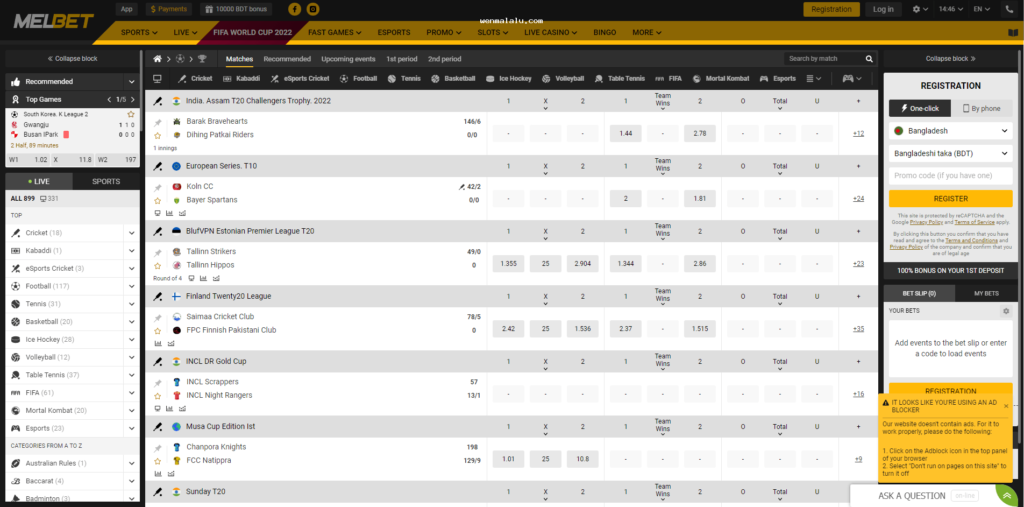
The biggest mistake when searching for betting-related access from mobile is relying on the name. In the same search, the mobile site opened in the browser, installable app, APK file, login-only page, and redirect page can all appear together. Even if they look similar from the outside, the risks are not the same.
Therefore, the first task is not to install or login, but rather to distinguish what the item in front of you actually is.
Understand what type of page you are seeing on mobile first.
- mobile site: It opens in the browser, no separate install is needed.
- app: An icon appears on the phone after installation.
- APK: The file for installing the Android app, which needs to be downloaded from the browser and then installed.
- login-only page: Generally shows only a sign-in box but provides very little information about the site.
- redirect page: Not the final destination itself; it sends you to another link or domain.
If you don't understand this difference, two common mistakes occur: mistaking a browser page for an app, or thinking of an APK file as a normal login shortcut. In the context of Bangladesh, major media reports have mentioned the risks of blocking gambling-related sites, apps, and social links, changing domains, and creating copy or fake paths. Therefore, it is not correct to assume that a new link is a safe version of the previous one.

How to detect fake signals before opening the login page
The most traps are on the page that wants to make you sign in quickly. Many lookalike pages aim solely to collect credentials.
| What to look for | Why stop |
|---|---|
| Extra hyphens, numbers, or strange suffixes in the domain spelling | It could be a clone or lookalike page |
| Multiple redirects upon opening the page | Being sent to another domain midway |
| Only a login box, but no navigation or other sections | Risk of being a single-purpose fake form |
| Browser warning, pop-up, or forced download prompt | APK may be pushed behind the login. |
| The saved link does not match the current link. | Domain change does not mean safe. |
Stop if you see three more types of pressure messages:
- “If you don't login now, the account will be closed.”
- “Re-verify on the new link.”
- “Sign in before withdrawing balance.”
This kind of urgency language is a familiar part of phishing flow.
If you go to the APK page from the search result, which prompt will you stop at?
The risk in this query is not just sideloading; the flow can often be like this: search result → APK download page → install prompt → request for login → then payment or code verificationTherefore, you need to understand where the page is pushing you before seeing permissions.
The first red flags are usually:
- file source is not clear
- download button repeatedly takes you to another page
- asks to change browser settings before install
- after install, it doesn't ask for login immediately, but first requests code, chat, or payment
Then, be especially cautious if Android permission is requested in the following cases:
| permission | Why it may be a cause for suspicion |
|---|---|
| Contacts access | Clear needs are not seen for a typical betting interface. |
| SMS read or send | may ask for additional access outside of verification |
| Accessibility access | creates risks of additional control over the phone |
| asked to keep Install unknown apps enabled | increases long-term risk beyond a one-time install |
| Display over other apps | may show prompts covering other screens |
| Notification access | may gain additional data visibility |
| Device admin type control | may be difficult to remove or control |
Ask a simple question first: Why is so much access needed just for sign in or basic use? If you don't get a clear answer, it's safer not to install.
Why stop if pushed to payment from login or APK flow
Seeking mobile access may seem like a separate issue from payment discussion, but fake login pages and suspicious APKs often lead there. If you are directed to provide personal numbers, separate chats, or manual approvals without a transparent flow inside the page or app, that's a big red flag.
Be especially cautious if:
- the payment recipient's number changes repeatedly
- the page name is one, but you are asked to send money to a personal name
- asked to send a screenshot of the deposit via WhatsApp, inbox, or other chat
- “told ”send money first, then the login will open"
This type of flow is not part of standard mobile access verification; rather, it could be a strategy to move you off-platform.

The most critical question in the search for online betting bangladesh apk
What is the main difference between a mobile site and an APK?
A mobile site opens in a browser and does not require a separate install. An APK is an Android app install file, which needs both source and permission verification before entering the phone.
Is it okay to sign in on a new login page just because the domain has changed?
No. The news report mentioned attempts to change the domain and avoid blocking, but that does not automatically make a new link safe.
Login page first, or install first?
Neither—until you are sure whether it is a mobile site, an APK, or just a login-only page. Understand the type of matter first.
What if the page coming from the search result shows very little information?
If there is no navigation, help, policy, or other sections, and only pressing sign in or download, it is better to close the tab.
What to do now: install, login, or close the tab
In any of the following situations do not install:
- The page is pushing you to download the APK, but the source is unclear
- The permission request is much more than basic use
- It is asking for chat, code, or payment immediately after install
In any of the following situations do not login:
- The domain does not match the previously saved link
- There is a login box, but almost no other part of the site
- “It is pressuring with terms like ”urgent,“ ”re-verify,“ ”account blocked”
And in any of the following situations Close the current tab and do not trust the saved link either:
- Redirecting repeatedly
- Showing pop-up or forced download as soon as the page opens
- Payment flow is going outside the app or page to personal numbers or chats
The safest decision on mobile is often very simple: if you can't verify, don't install, don't log in, don't share personal information.